You’re already collecting valuable data, but are you making the most of it? Here’s how to make your data work harder for your institution.
Most LabStats customers start with the basics: checking lab availability or running the occasional usage report. But the institutions getting the most out of LabStats are using it to drive budget decisions, reshape physical spaces, renegotiate software contracts, and make the case for IT investment at the leadership level. If that’s not you yet, here are some practical tips you can implement now.
Top 3 features everyone loves
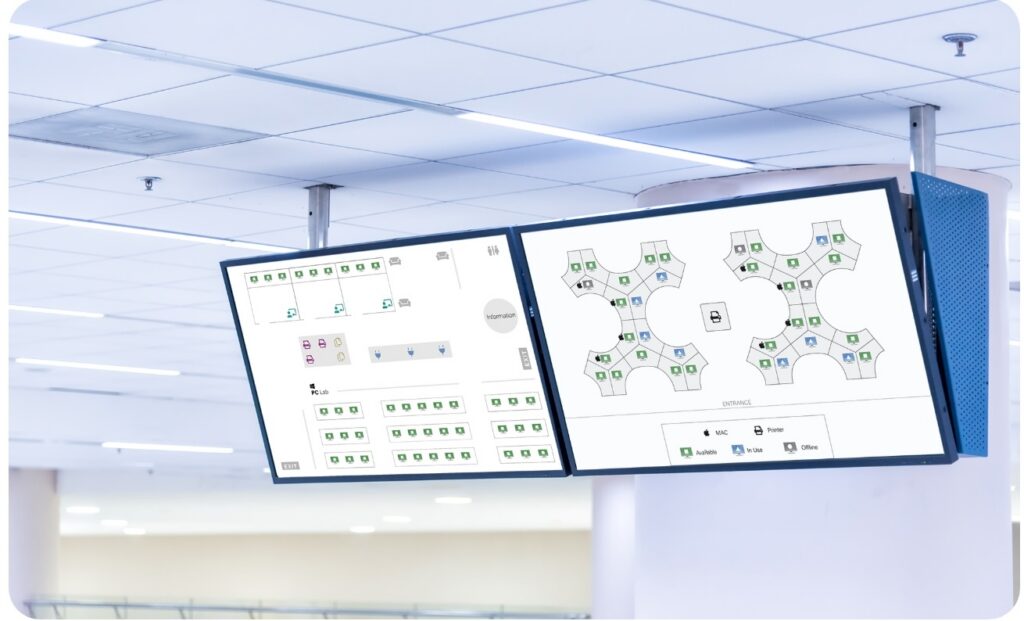
1. LabMaps: more than an availability tracking tool
Live availability maps are a great way for students to find a free computer, but it can also guide IT teams to spot utilization patterns across buildings and time slots. They help identify labs that are chronically underused (and costing money) or perpetually overcrowded (and frustrating students). Whether it’s the spot by the window, or the one under an air vent, by reviewing LabMaps data as part of your regular operations review, you’ll discover hot spots or cold deserts and make changes to maximize your lab space.
2. The reports that guide budget conversations
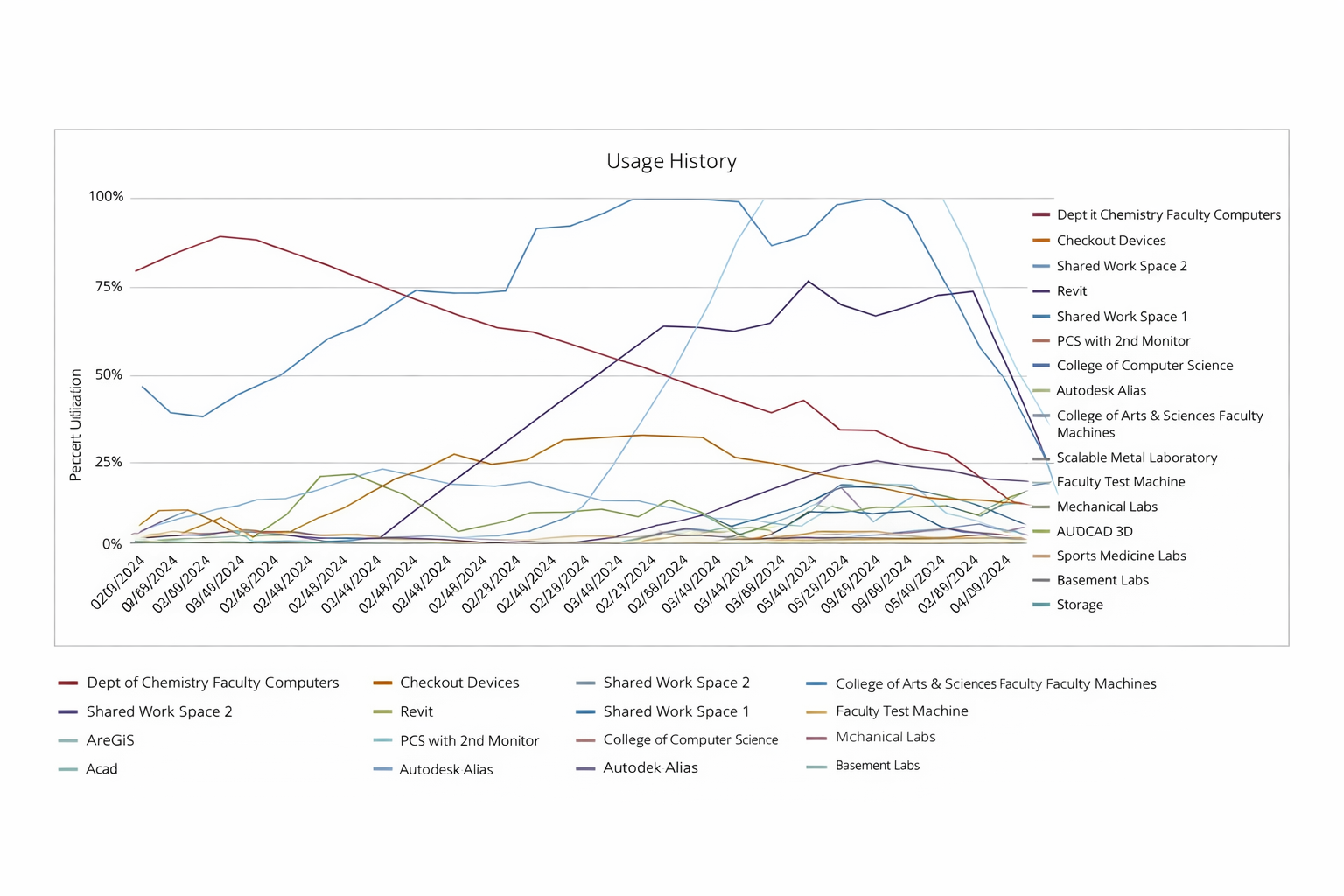
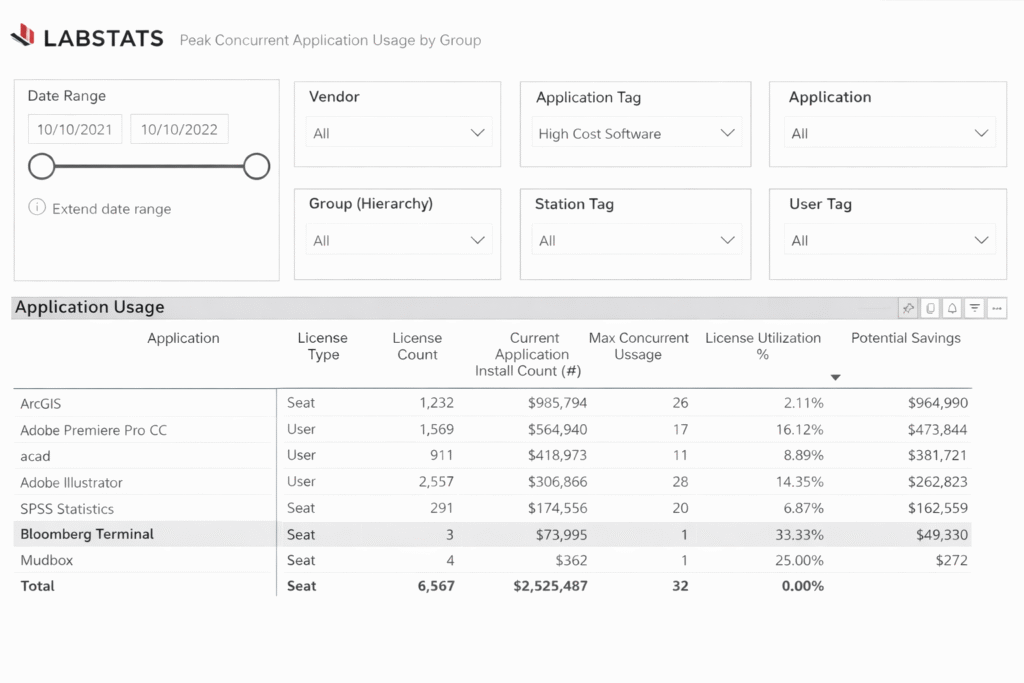
These built-in reports are where LabStats makes you shine at the leadership level. Peak Usage History tells you whether your labs are actually full during the times you think they are. Application Launch History reveals which software titles are being used and which are eating away your licensing budget while sitting mostly idle. High-cost suites are usual suspects for license savings, as even a small number of licenses that can be revoked or reallocated can free up your budget.
“Application tracking showed us where money would be well spent, and where it would be wasted.” — Sean Gillaspy, Lab Manager, Texas Christian University
Run an Application Summary report before your next software renewal cycle. You may find licenses that can be cut entirely, and others that need to be expanded.
Measure usage across departments and facilities in real time or historically
3. Identifying zero-use computers
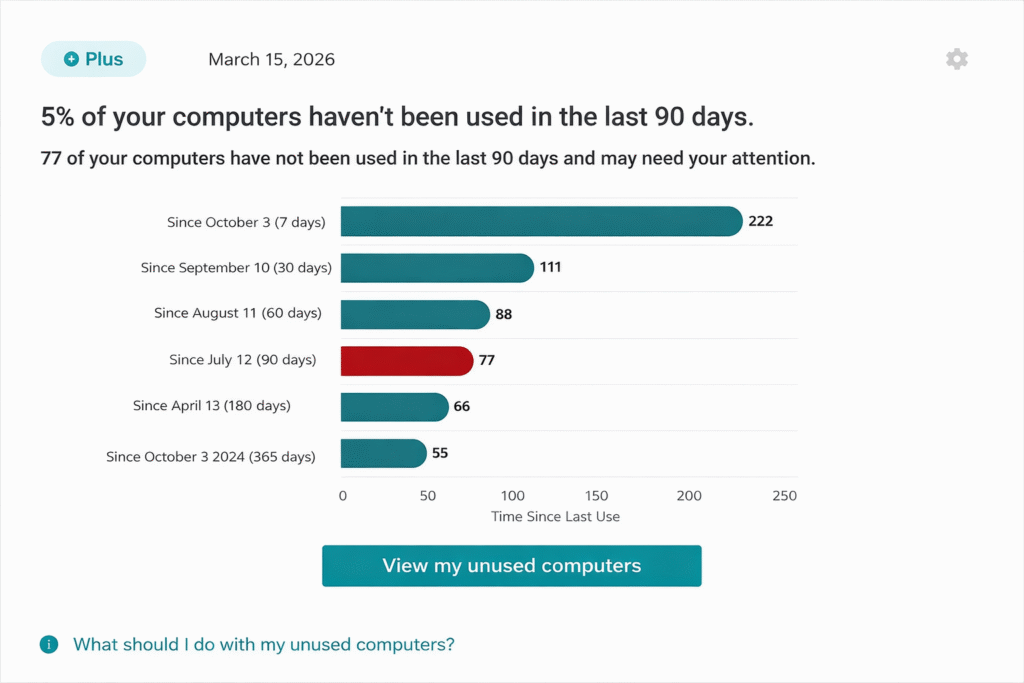
Every campus has devices that haven’t been touched in months. Some may be sitting in classrooms, others may be in storage or in their original boxes, never having been opened. LabStats helps you identify them by exporting your computer inventory and comparing it to login/usage activity to find computers with zero logins. It’s one of the fastest ways to demonstrate ROI from LabStats to your CFO and make your budget stretch further.
“Prior to LabStats, the various enterprise management tools we maintained could not easily report hardware and software utilization to the level of granularity or accuracy required to make business decisions.” — Shelly Ryan, Director IT Enterprise Operations, Northern Virginia Community College
Identify which computers have zero usage and discover why
Using data to justify decisions
One of the most underused capabilities in LabStats is its role as an advocacy tool. Usage data gives IT leaders the evidence to have more grounded conversations, beyond gut feelings, historical trends or assumptions.
At Kean University, IT used LabStats data to physically redesign their lab layout based on how students were actually moving through and using the space. At Columbus College of Art & Design, Eileen Galvin’s team used application usage data to challenge long-held assumptions about software renewals, identifying titles used by a single adjunct for one section that had been auto-renewed for years.
The true potential of LabStats lies in empowering IT, faculty and student services to be on the same page about student success. You can explore how software usage patterns link to GTA or persistence outcomes; identify equity gaps for students relying heavily on institutional devices; reallocate resources to better support student needs for access, flexibility and safety.
“It wasn’t just about the data; it was about shifting our mindset.” – Eileen Galvin, Senior Director of IT, Columbus College of Art & Design
Discover underutilized software licenses to unlock more savings
Three things you can do this week
1. Pull a software usage report before your next renewal. Open the Application Summary report and filter for titles with low launch counts over the past semester. Bring that data to your next faculty or vendor conversation.
2. Review your zero-use hardware list. Find devices that haven’t been active in 60+ days. Flag them for reallocation before they appear on a replacement budget request.
3. Set up at least one alert. If you haven’t configured usage alerts yet start with a single lab or high-priority device group. The goal is to experience what proactive monitoring feels like before you scale it.
Head to https://support.labstats.com for the latest how-to guides, training videos and support, or talk to your account manager to make the most of LabStats.
Work With Us
LabStats specializes in helping IT leaders reduce spend and get their budgets right.